
Telegram bot
To create your own bot, you only need to follow a few simple steps.
First, find the official Telegram bot @BotFather on Telegram 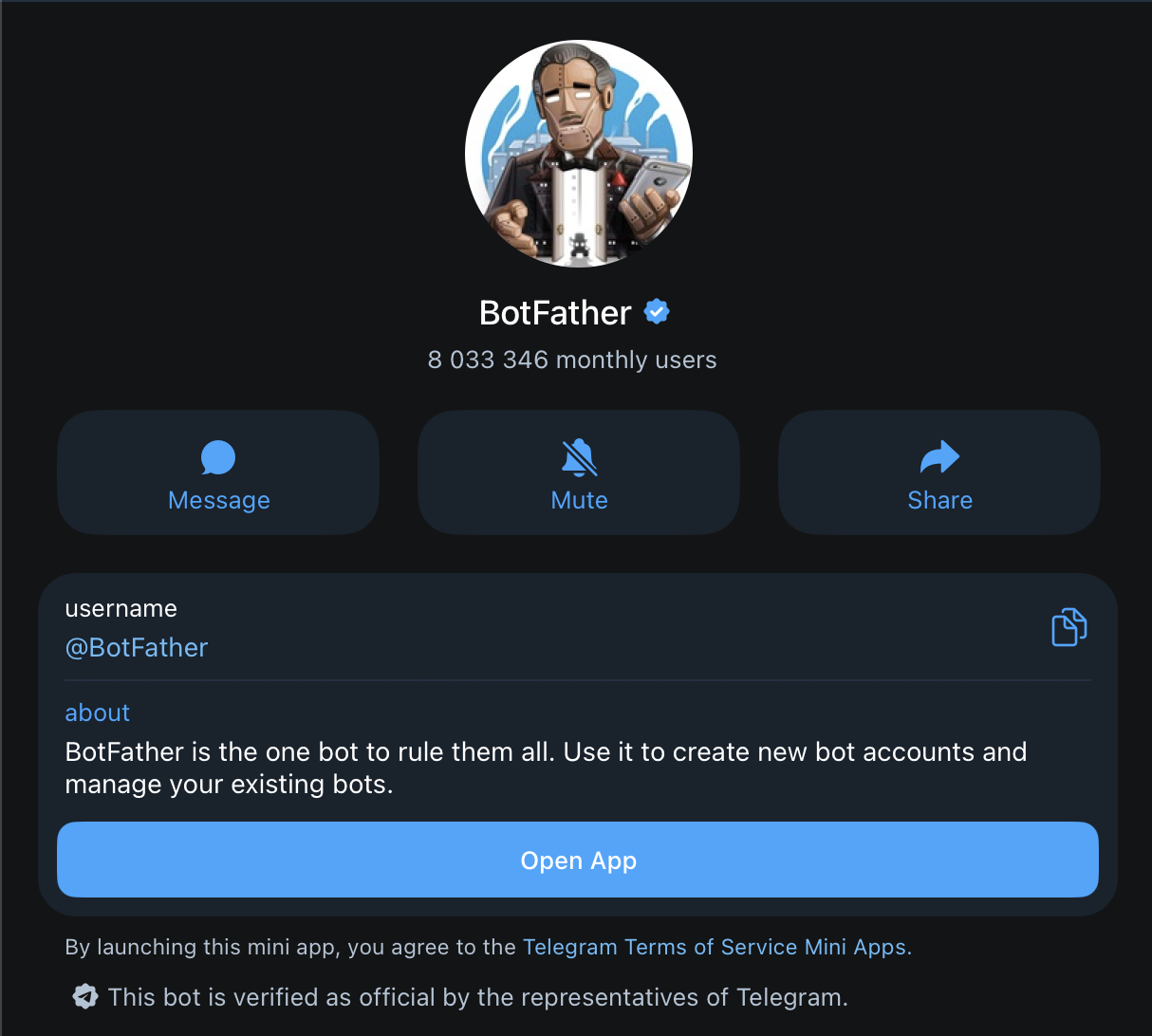
Then, click the "Open app" button.
In the mini app that opens, click "Create New Bot" 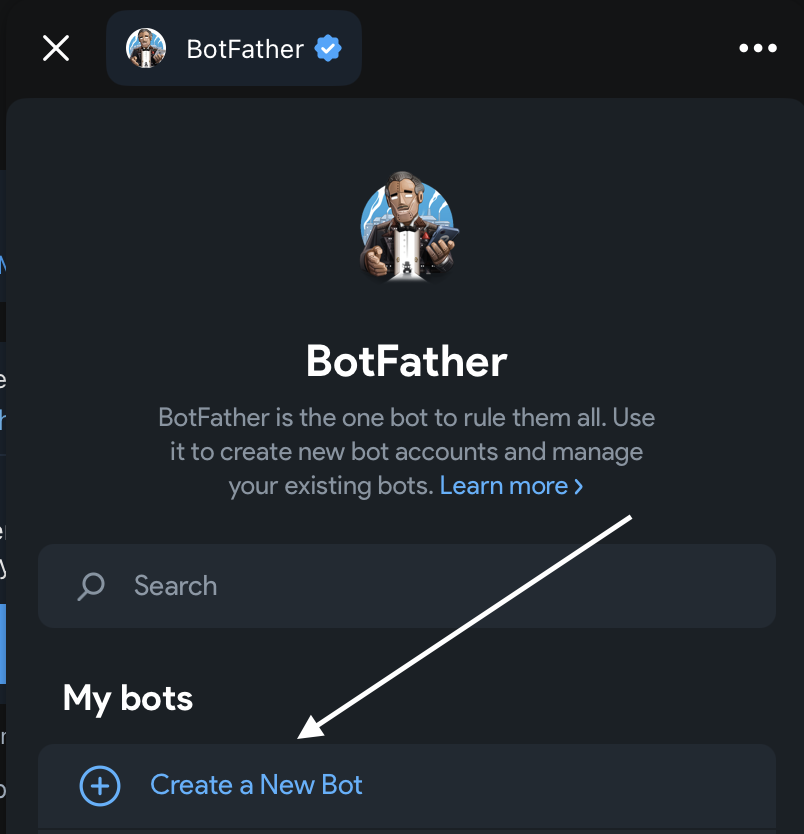
Next, give it any name (you can skip the description) and come up with a username for the bot. I did it like this: 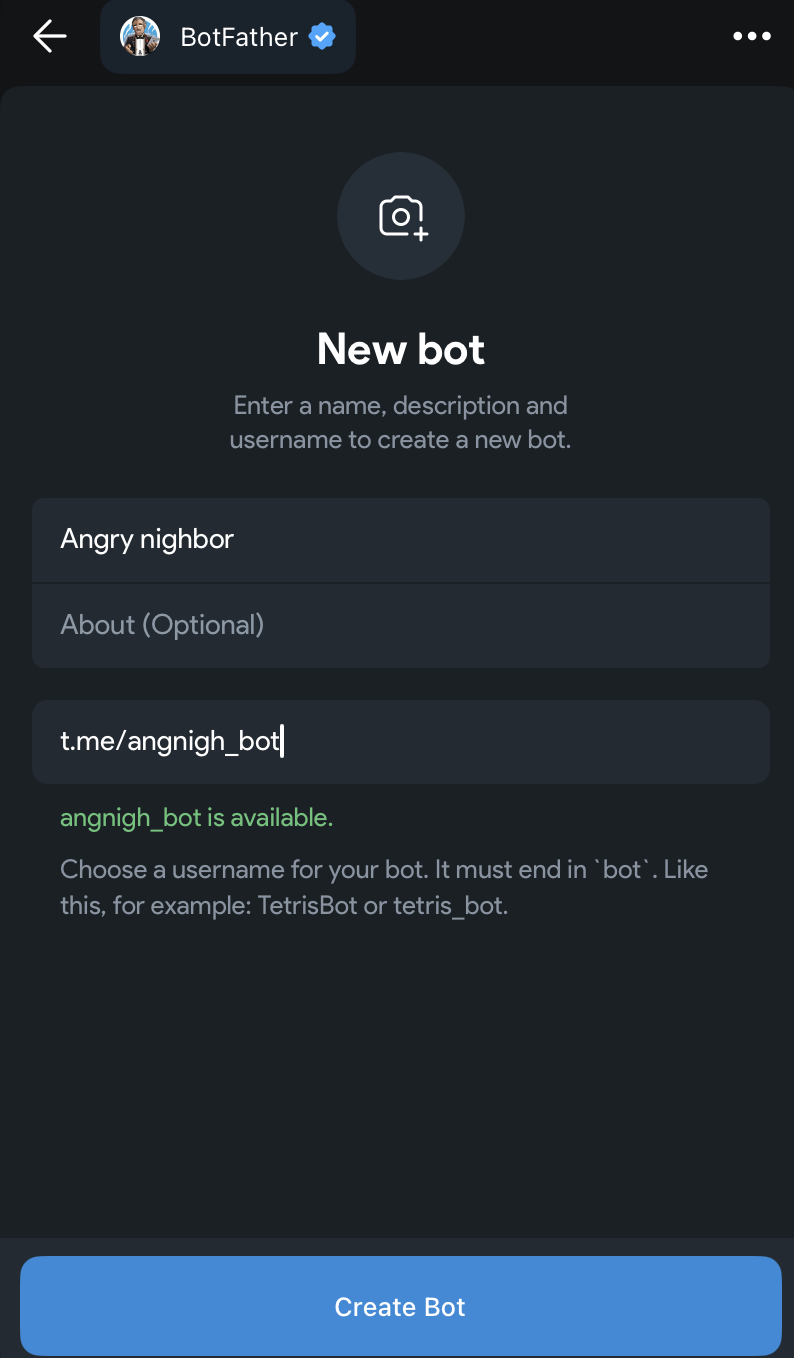
Don’t forget: the bot’s username must end with _bot
Then click "Create Bot".
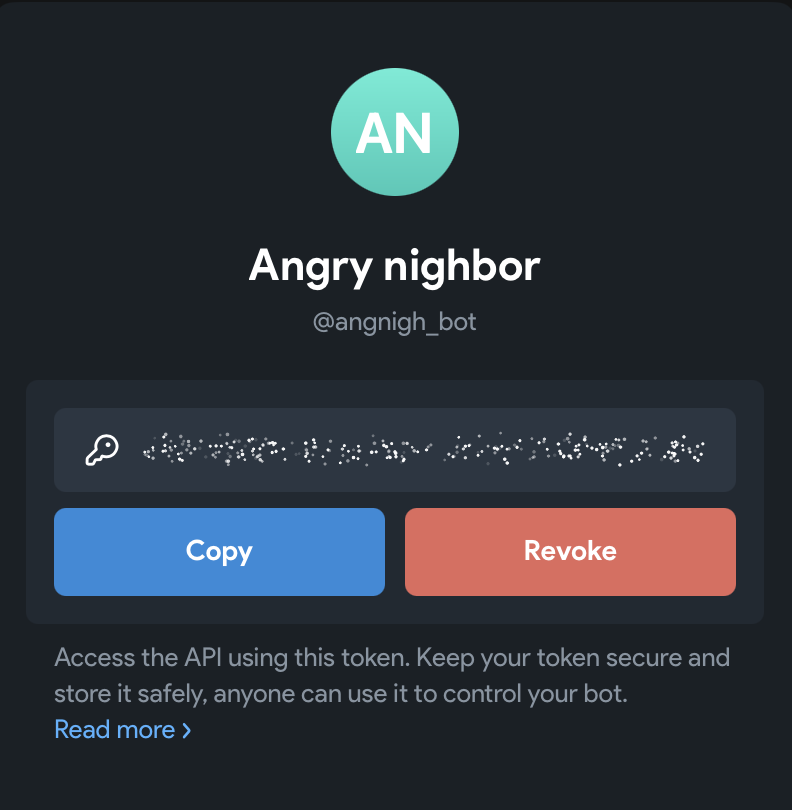
BotFather will then show you a token - copy it
Now the easiest part: go to Bazaar and sign in, open the user menu, select "Telegram" 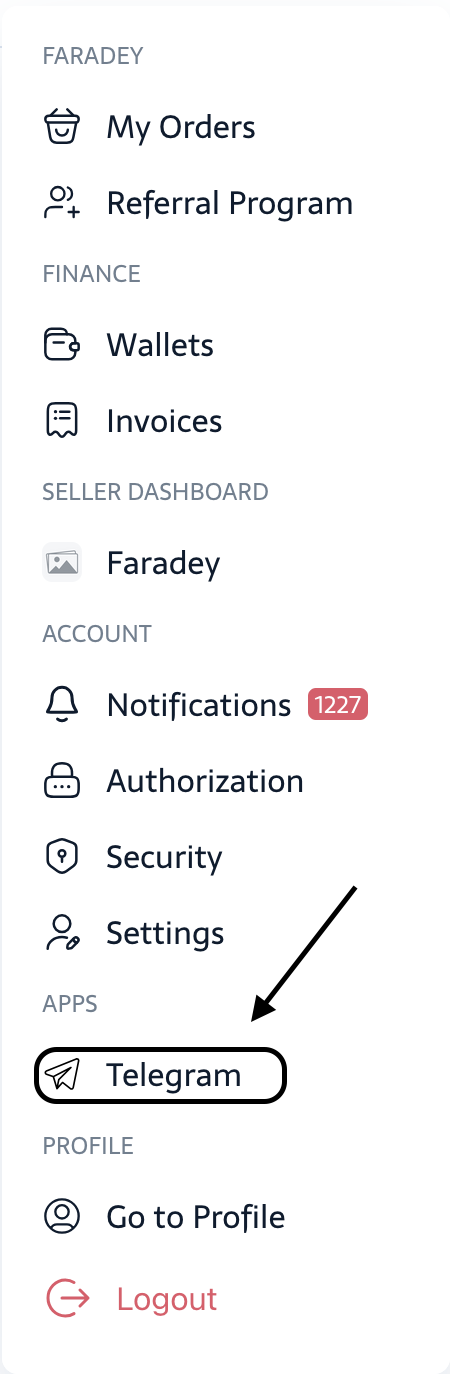
Paste the token you received from BotFather into the field and click "Activate Bot". 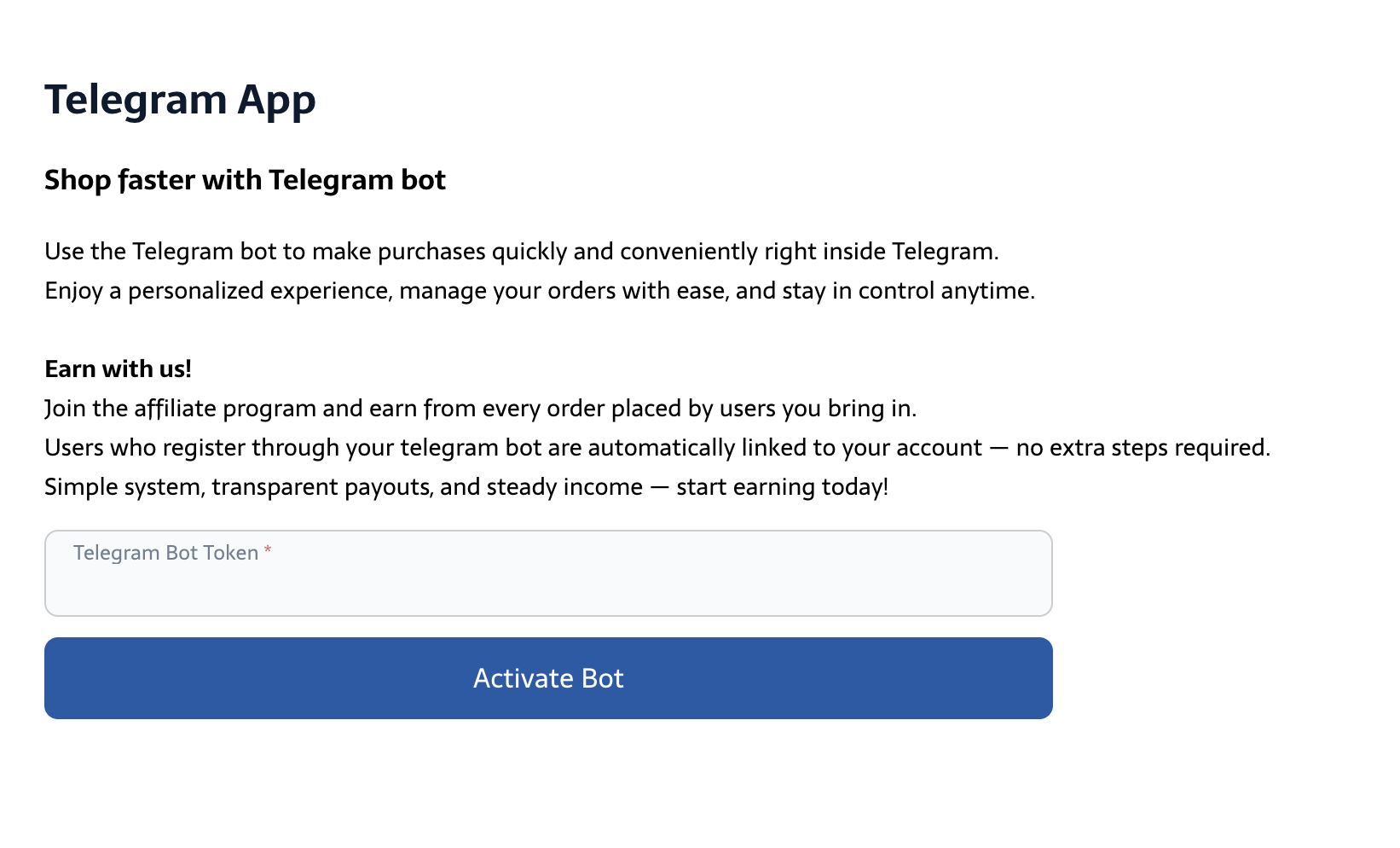
Finally, go to Telegram, find your bot by the username you created (the one ending with `_bot`)
Enjoy!